
VISUAL SHORTCUTS & FOLDERS
How to add more shortcuts and folders to Chrome New Tab.
Turn the page you open all day into a free visual speed dial with enough room for the websites that actually matter.
Add Deskpot to Chrome · Free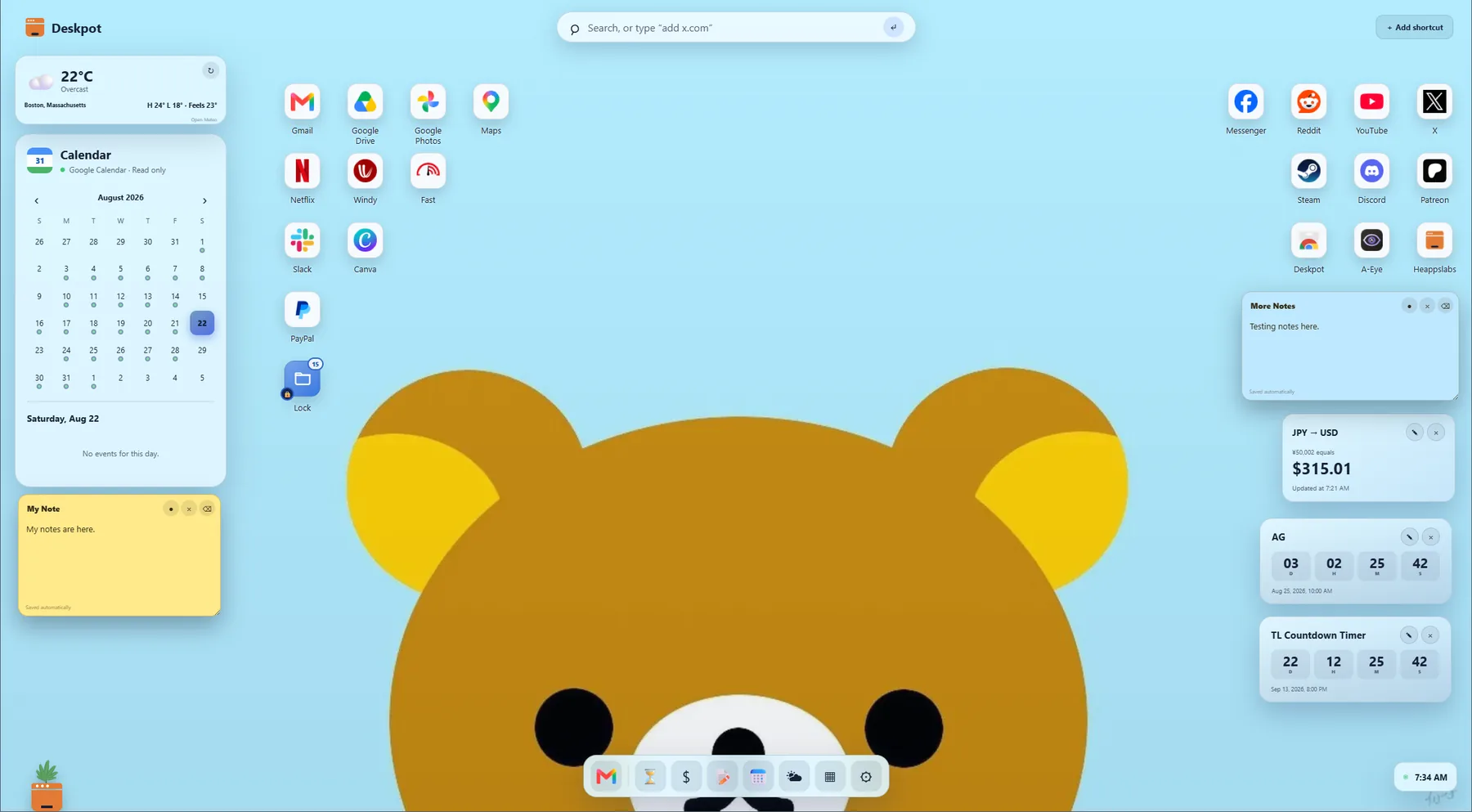
Start with your daily sites
Add a shortcut from Deskpot or use the toolbar button to save the current site. Deskpot shows the site icon and lets you rename the shortcut so it is easy to recognize.
Arrange shortcuts like desktop icons
Drag icons into a layout that matches how you think. Use multi-selection when you want to move or delete a group, and enable Snap icons to grid for a cleaner arrangement.
Create folders for projects and routines
Group related sites into folders such as Work, Study, Design, Finance, or Entertainment. Double-click a folder to open its mini desktop, then drag shortcuts back out whenever you want.
Keep favorites in Quick Access
Pin your most important shortcuts to the dock so they stay easy to reach even when the desktop contains several groups.
Open matching Chrome bookmarks
Optional bookmark access lets a shortcut show saved pages from the same website when you right-click it. Deskpot reads the list live and does not modify your bookmarks.