
CHROME NEW TAB WIDGETS
How to add calendar, weather, countdown, currency, and notes to Chrome.
Deskpot puts five practical widgets on the Chrome page you already open all day, next to your visual shortcuts and folders.
Add Deskpot to Chrome · Free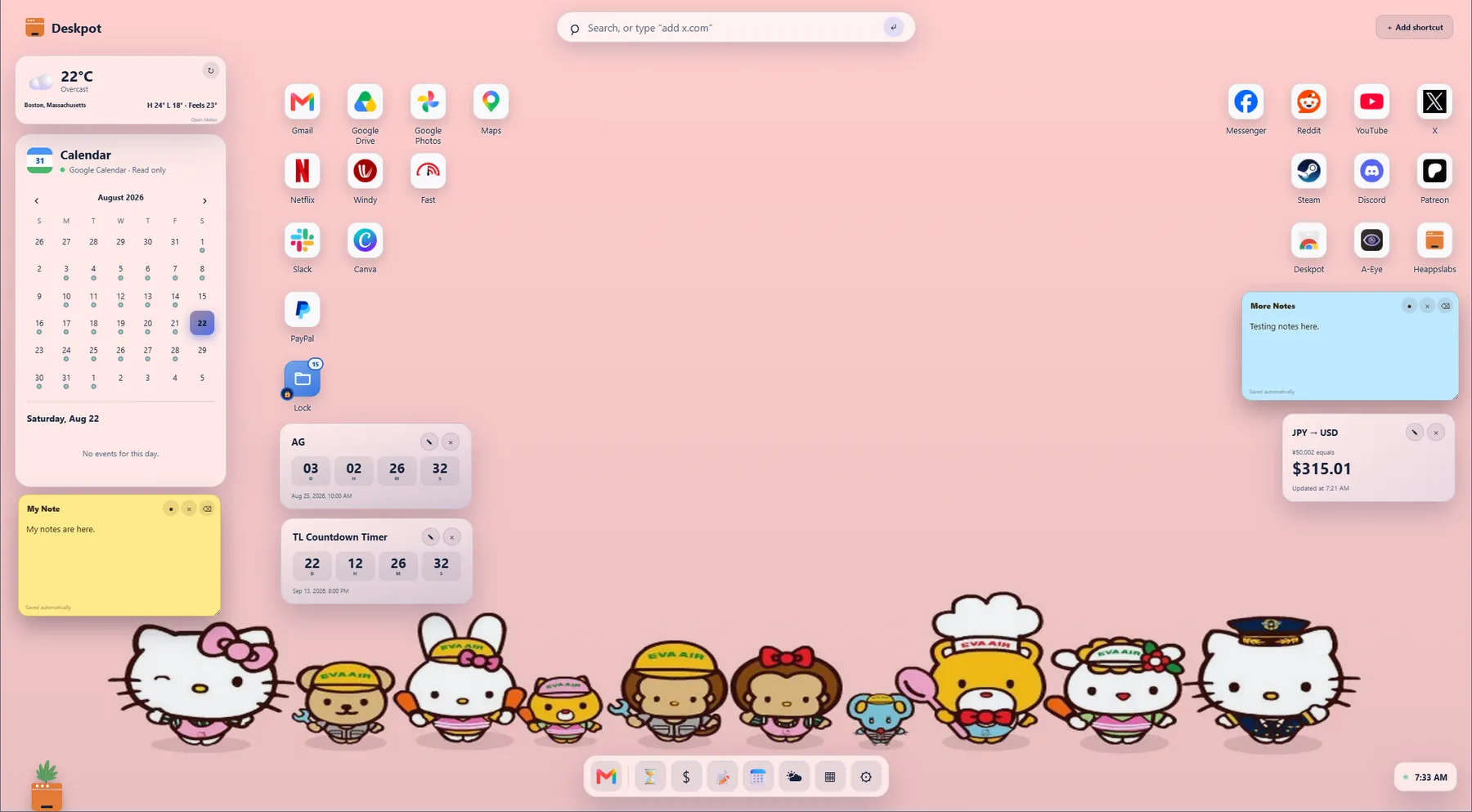
Chrome calendar
Use the month calendar on its own or optionally connect Google Calendar for read-only events from your primary calendar.
Chrome weather widget
Choose a city to see current conditions without sharing precise device location. Deskpot caches the result so it stays useful between requests.
Chrome countdown timer
Count down to a deadline, trip, exam, birthday, or launch with classic number tiles or a calmer sentence-style display.
Chrome currency converter
Convert common currencies from a movable widget. The amount stays on your device while Deskpot requests the selected exchange-rate pair.
Chrome sticky notes
Keep a small reminder or thought on your new tab. Notes save automatically and can be moved, resized, hidden, or restored.