18°San Francisco · Clear
DESKPOT · CHROME SPEED DIAL & NEW TAB EXTENSION
Deskpot turns every new tab into your personal desktop.
Deskpot is a customizable Chrome new tab extension and speed dial that keeps your favorite sites, visual shortcuts, folders, calendar, weather, notes, and daily tools together on one personal web desktop.
Your computer has a desktop. Chrome is the one you actually use.
Free to install from the Chrome Web Store · Useful free core · No Deskpot account required
Drag anything into placeKeep your day in viewMake your new tab yours
REAL DESKPOT SETUPS
Your new tab can look completely yours.
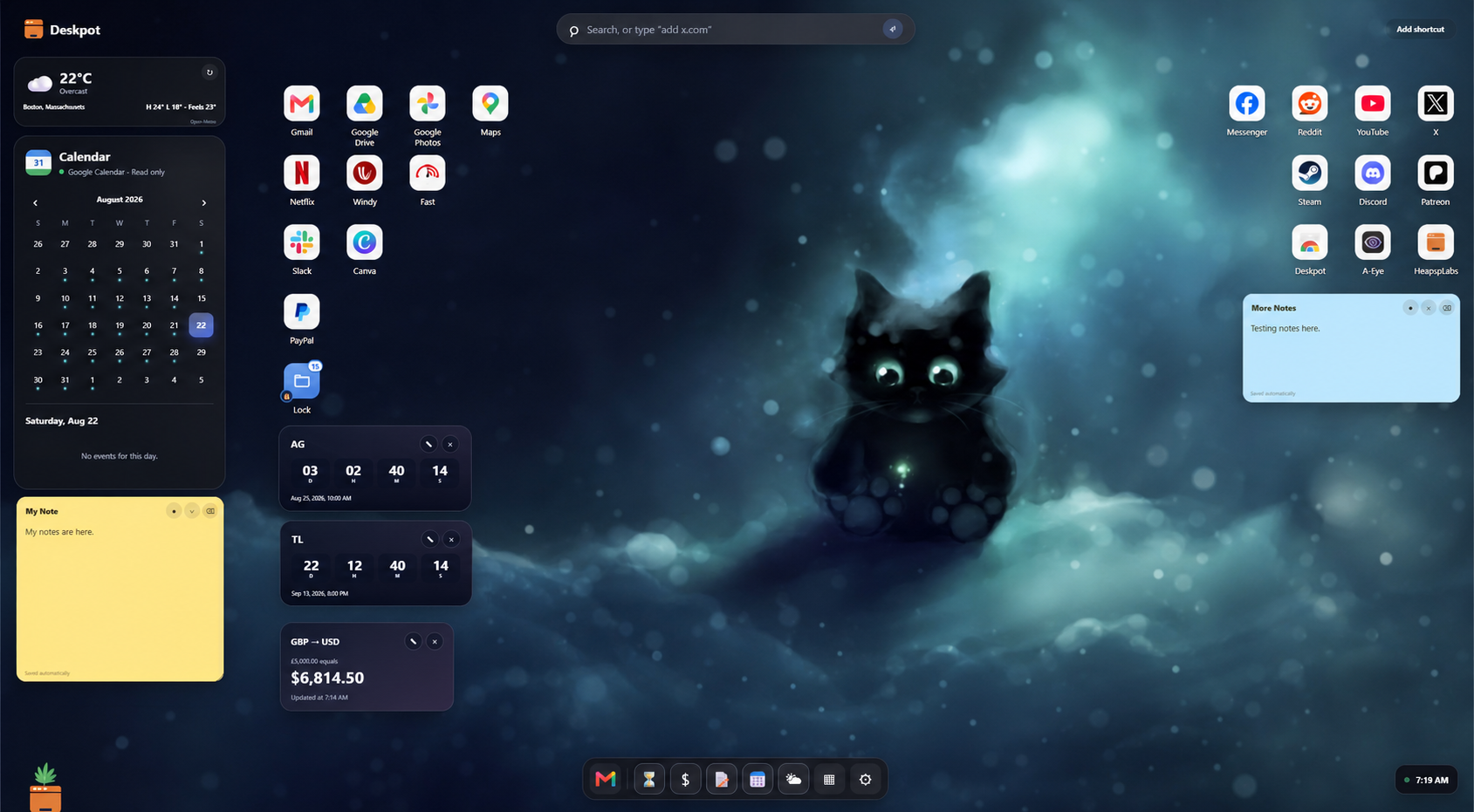
These are real Deskpot desktops, not interface mockups. Add your wallpaper, arrange your shortcuts, and keep the tools you use where they make sense to you.
MORE THAN A SPEED DIAL
Fast access, with a whole desktop around it.
A speed dial gets you to favorite sites quickly. Deskpot turns that convenience into a customizable new tab dashboard with movable shortcuts, folders that open like mini desktops, a dock, widgets, notes, calendars, and a calmer space that feels like your own.
MoveGroupRight-clickPinPersonalize folders
Chrome speed dial alternative Chrome countdown, calendar, weather, currency, and notes widgets DeskpotTuesday, September 15 9:41 AM
PROJECT LAUNCH12 daysSunday, September 27
🌿
◎M♪✦▰⚙
YOUR DESKTOP, REPLANTED
Everything you open daily, in one quiet place.
Deskpot gives the blank new-tab page a useful purpose without turning it into another complicated dashboard.
Folders that feel like mini desktops
Open a folder with a smooth zoom, rearrange its shortcuts, drag them back out, or use familiar double-click, middle-click, and right-click controls.
See your day without chasing it
Keep weather, a currency converter, a month calendar, Google Calendar events, and important countdowns within sight without opening another productivity app.
Make it feel like your place
Choose a wallpaper, care for your plant, and shape a desktop that feels calm every time you open a tab.
START SIMPLE
A useful free desktop, with room to grow.
DESKPOT FREE
The everyday essentials
- Create shortcuts and folders
- Site-matched Chrome bookmarks on right-click
- Month calendar with read-only Google event sync
- Weather, currency converter, and one live countdown
- Three wallpapers and living plants
DESKPOT PRO
More space to make it yours
$9one-time payment
Lifetime access on up to 3 personal devices
- Automatic private Google Drive backup
- Locked folders with local passcodes
- Unlimited sticky notes and up to 6 countdowns
- Custom wallpapers
- Custom folder icons and colors
- Plant cleanup and visibility controls
A 14-day money-back guarantee applies to unresolved product issues, subject to the terms shown at checkout. Secure checkout and licensing are provided by Freemius.
JUST AFTER LAUNCH
Super early reviews.
Deskpot has only just arrived on the Chrome Web Store. Here is the first public review, plus a note from the developer about why it exists.
“Thank you, I really needed something like this.”
DEVELOPER NOTE
“I've always liked speed dials, but I wanted more than a grid of links. Deskpot turns that quick access into a full personal desktop.”
OPTIONAL GOOGLE CONNECTIONS
How Deskpot uses Google data.
Deskpot works without a Deskpot account or Google sign-in. Google access is requested only when you choose to connect Calendar or enable private backup.
Google Calendar
Deskpot requests read-only event access solely to display your upcoming events inside its calendar widget. It cannot create, edit, or delete calendar events.
Google Drive backup
Deskpot requests access only to its private, hidden Google Drive app-data folder so it can save and restore your Deskpot layout and settings. It cannot browse or read your regular Drive files.
Both connections are optional and can be disconnected at any time. Deskpot does not sell Google user data or use it for advertising. Read the full privacy policy.
LOCAL-FIRST BY DESIGN
Your new tab should feel personal, not invasive.
Deskpot keeps your layout and preferences on your device. External services are contacted only when needed for a feature you choose to use.
Read the privacy policy- Your desktop setup is stored locally in Chrome.
- Deskpot does not sell your information or use it for advertising.
- Weather uses your chosen city and approximate coordinates through Open-Meteo, never precise device location.
- Google Calendar connects only with your permission and uses read-only event access.
- Google Drive access is limited to Deskpot's hidden app-data folder for backups you choose to enable.
- Chrome bookmark access is optional, read only, and requested only when you enable it.
YOUR NEXT TAB CAN FEEL DIFFERENT
Give your internet a calmer place to live.
Install Deskpot from its official Chrome Web Store listing and make your next tab your own.
Get Deskpot